FAQ: Windows Server
Find answers to questions from our customers related to Windows Server.
Table of contents
What is License Server ID?
The License Server ID (LSID) is a unique code generated for the respective Windows Server after RDS roles have been installed and run on it. Remote Desktop Services (RDS) CALs can then be generated based on that LSID. RDS CALs generated for a given LSID can only be used for that specific server. If the LSID changes (due to changes or reactivation of the server, for example), new RDS CALs need to be generated.
Where can I find the License Server ID (LSID) of my server?
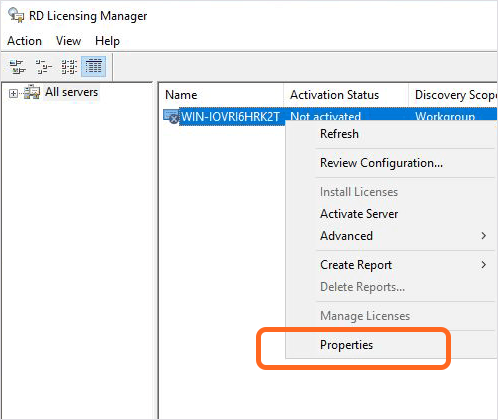
Open RD Licensing Manager.
Select your server.
Right-click on the server and choose Properties.
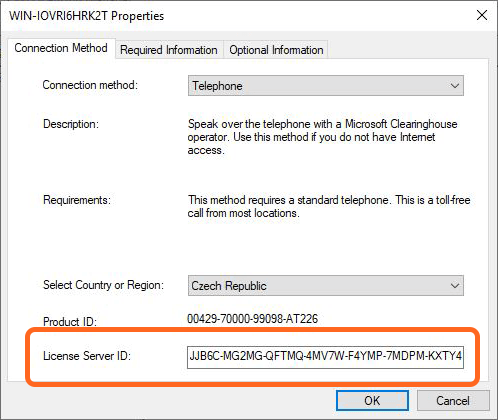
The LSID is available in the last row, below the Product ID.